


Checkout on one screen
Returning customers don’t retype anything: their name, phone and addresses are remembered on their device. They can drop a GPS pin, and you open it on the map.

For sellers on Instagram and Telegram
You open it by chatting with a bot, in about a minute. Customers pay with Payme, Click, cash or a card transfer. You run orders from your phone.
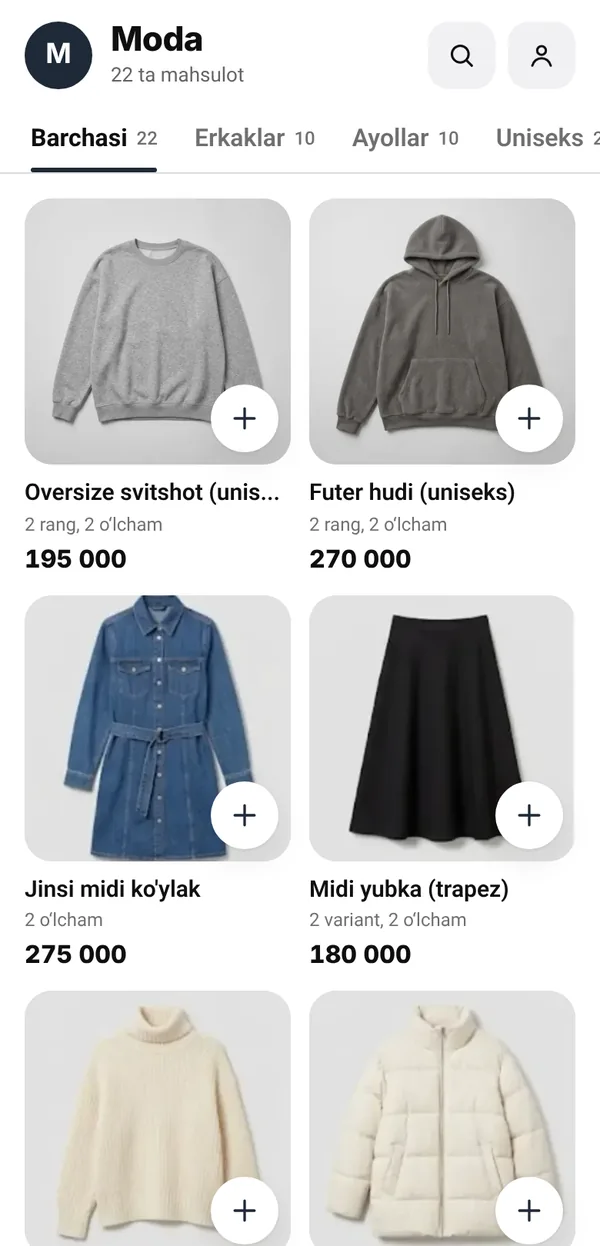
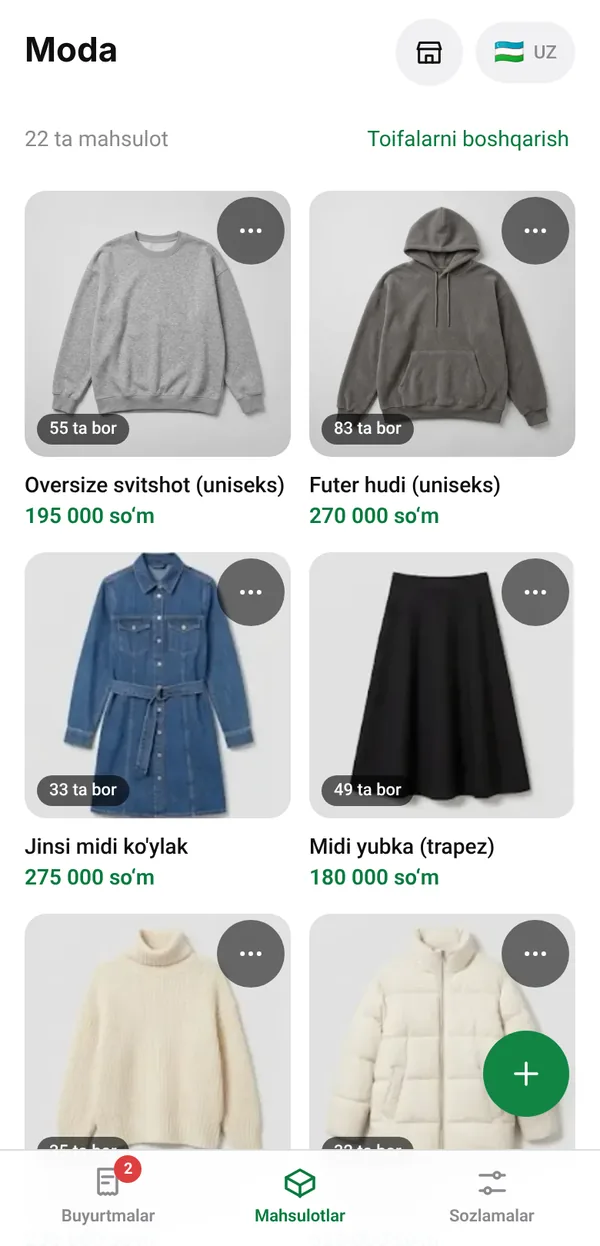
Tap Open a shop. There’s no sign-up form, because your Telegram account is your login.
The bot shows the link you’ll get, like olgo.uz/bolajon. Confirm it and the shop is open. Orders will arrive in that same chat.
Take photos right in the dashboard, set prices and options, then put the link in your Instagram bio or channel.
What a small shop needs, from the very first order.
Returning customers don’t retype anything: their name, phone and addresses are remembered on their device. They can drop a GPS pin, and you open it on the map.
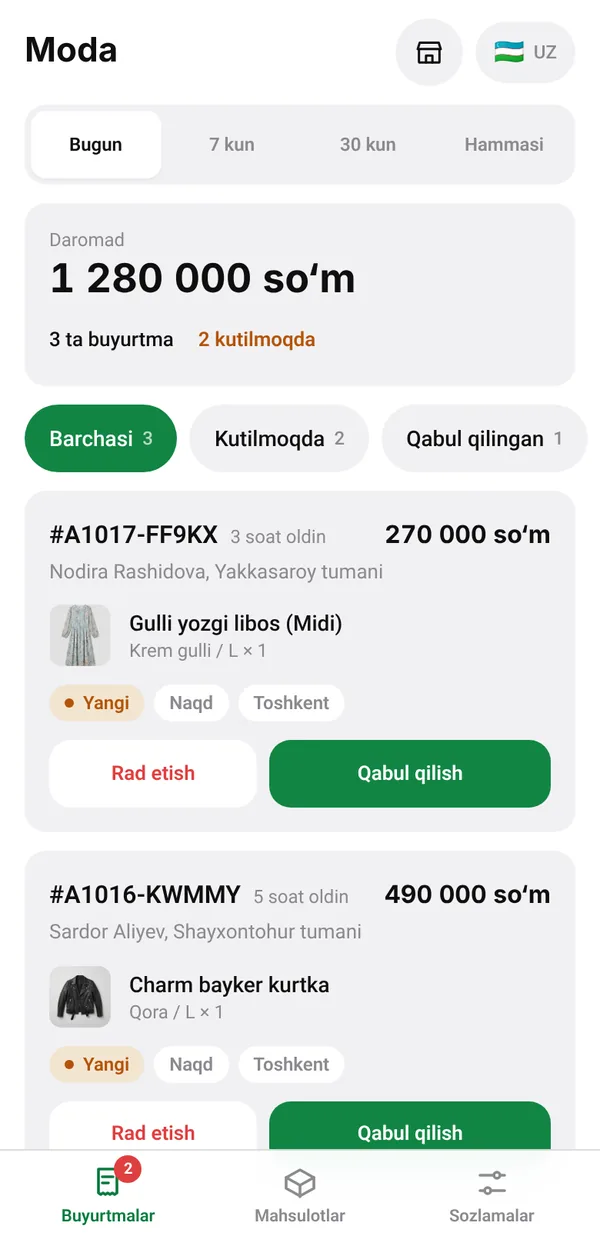
Each order is a card in your Telegram chat, and the next step is a button: Accept, Send to courier, Mark delivered. In the dashboard you can swipe too: right to move on, left to cancel.
With stock tracking on, twelve people can tap Buy on the last item at the same moment and exactly one order goes through.
Inside Telegram the shop follows each customer’s theme. From an Instagram link it opens as a regular, fast web page.
Customers pick their language. You translate products only where you want to.
Connect what you already use. We’ll add new ones here as they go live.
Your first shop is free.
Start
Business
For restaurants, brands with several shops, or anyone who wants a hand with setup.
Payme and Click charge their own fees under your contract with them.
Olgo is a service for opening an online shop inside Telegram, made for sellers in Uzbekistan. You create the shop by chatting with @olgo_seller_bot. Customers order in a Telegram Mini App or in their browser, and you manage orders from a dashboard on your phone.
Send /start to @olgo_seller_bot and tap Open a shop. Type your shop’s name and confirm it: you get your own link, like olgo.uz/bolajon. Then add products with photos and prices in the dashboard and share the link. Opening the shop takes about a minute.
Your first shop is free. Payme and Click charge their own fees under your contract with them. If you need several shops, a restaurant or help with setup, write to us.
No. The shop opens inside Telegram, which they already have. From Instagram or any other link, it opens as a regular web page.
No. You open the shop by chatting with our bot and manage it from a dashboard inside Telegram.
Yes. Put the link in your bio or Stories. Customers who don’t use Telegram can still order in their browser.
Payme, Click, cash on delivery, and card transfer. With a card transfer the customer pays your card and can attach a receipt, which you check and confirm. You choose which methods your shop accepts and whether a receipt is required. A carrier that can’t collect cash won’t offer cash on delivery.
Online payments go straight to your own Payme or Click account. Cash goes to your courier, and card transfers go to the card you publish.
No. A shop uses one inventory system at a time, so stock is never counted twice. You can switch later, but Olgo asks you to close your open orders first so the old system’s stock stays correct.
Yes. Customers choose their region and one of your carriers: BTS and UzPost to begin with, and you can add your own. Delivery takes about 3-4 working days, and the customer pays the carrier’s fee to the carrier directly, so it isn’t added to your order total. You decide which carriers can collect cash.
Yes. Restaurants get a menu with dish options, branches with their own opening hours, delivery from the nearest open branch, pickup, and orders scheduled for later. Our team sets a restaurant up for now, so write to us.
The shop and the dashboard work in Uzbek and Russian. You can add product translations for each language.
It takes a minute, and the first one is free.